-
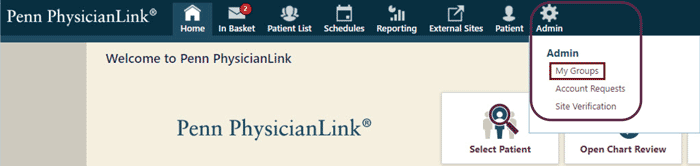
Select the Admin tab and click My Groups.
-
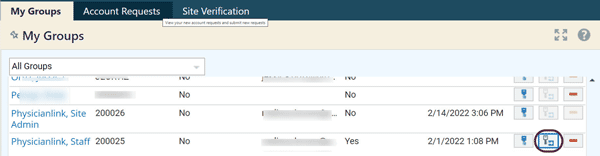
On the My Groups tab, select the user whose authentication method you need to reset, then click to the far right of the screen.
-
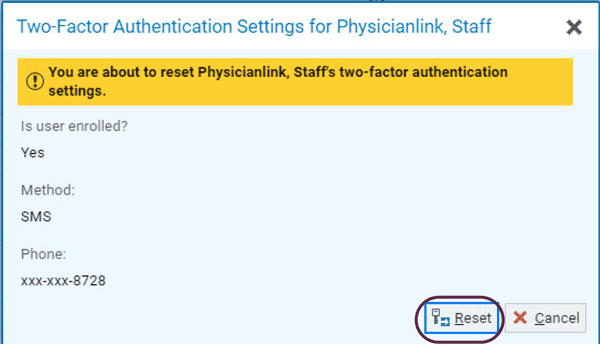
A pop up box will appear to confirm that you wish to reset the user’s authentication method. Select Reset. The next time the user signs in, they will be prompted to select a new authentication method of their choice.
Reset your PhysicianLink user's two factor authentication (2FA)
As a PhysicianLink Site Administrator, you can follow these instructions to reset your PhysicianLink user's two factor authentication (2FA).